
 StatViewer · Windows Hardware Monitor
StatViewer: a lightweight, real-time,
focused Windows hardware monitor
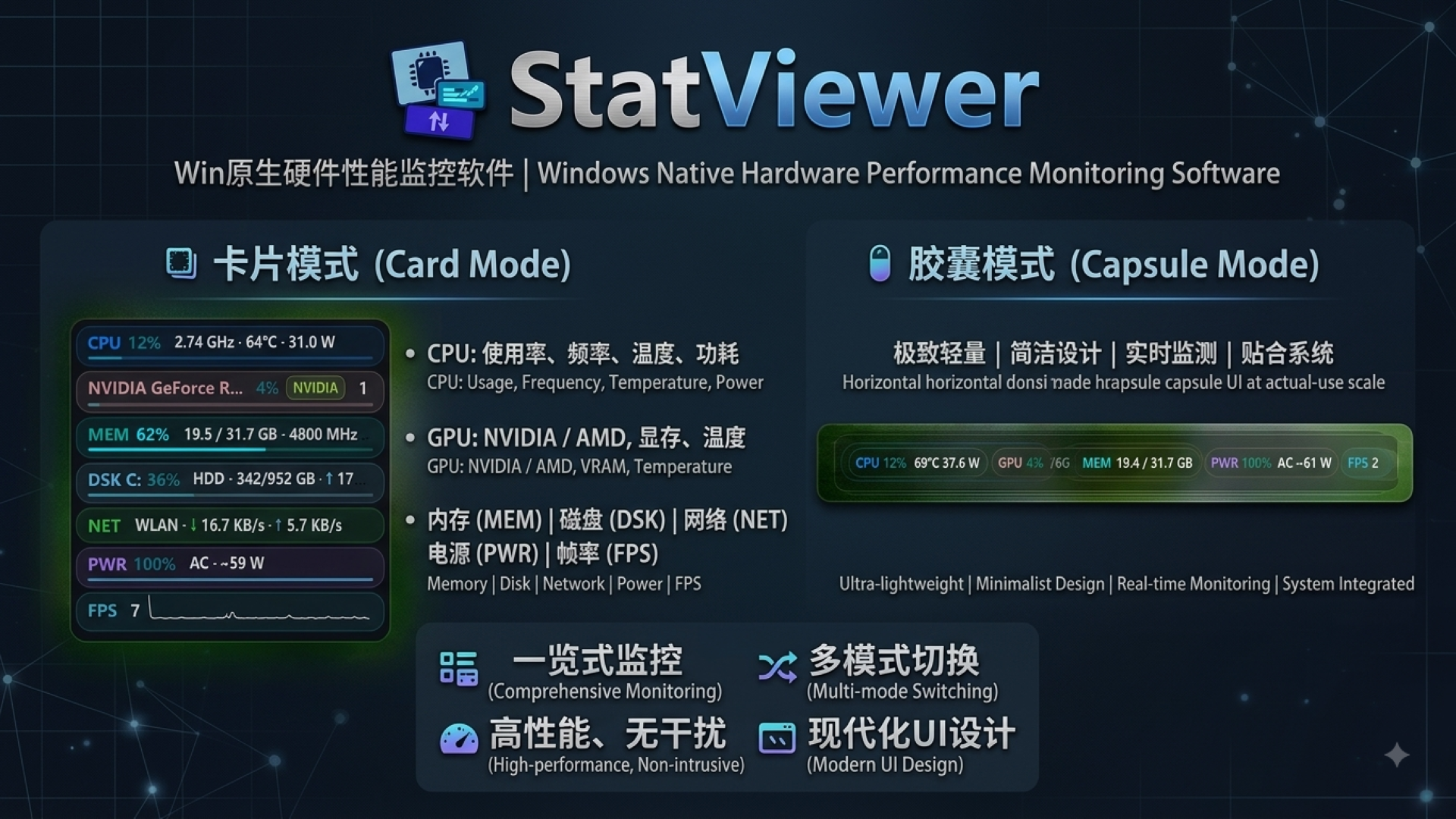
StatViewer is a lightweight, real-time, focused Windows hardware and performance monitor. It shows CPU, GPU, iGPU, memory, disk, network, battery and FPS in a live desktop overlay, plus temperature, power, frequency, VRAM, read/write speed, battery health, system power estimate and disk SMART health, with a hardware information centre, system tools and modern themes. Monitoring data is processed fully on-device: no ads, no telemetry and no hardware data uploads. Standard is fully offline; Pro connects only for activation, authorization checks, version checks, announcements and optional account actions, and is published via the official GitHub and Gitee repositories.
Windows 10 1809+ / Windows 11 · x64 · native Rust build, no extra runtime
- 8+
- core metrics in real time
- ~4MB
- lightweight installer
- 0
- upload & telemetry
Try it here
Every setting, right here
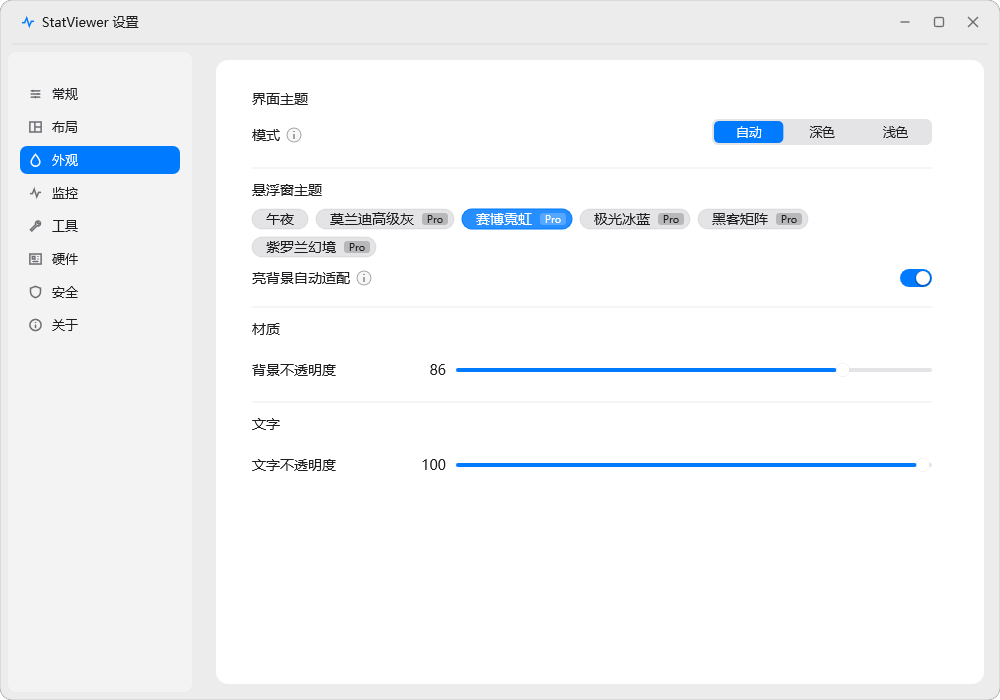
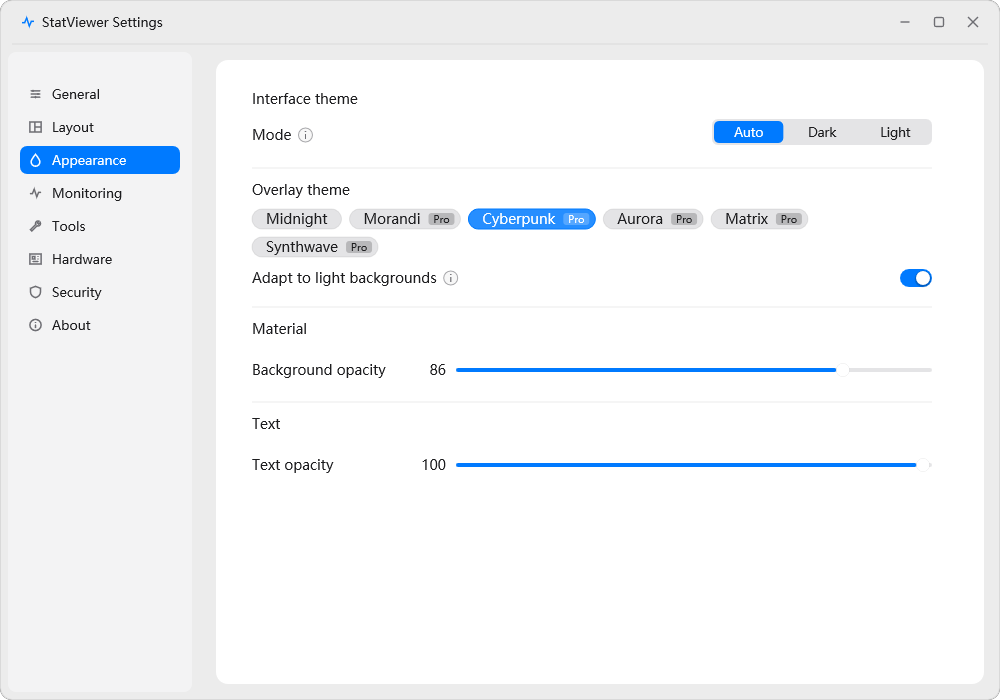
This is the real settings window, and the panel on the right is drawn by the same code the program runs. Change anything on the left and the panel changes with it.
Drag the panel on the desktop. The readings are made up; the units change as the numbers do.
Features
Your whole PC at a glance
From real-time monitoring to hardware health, system tools and a multi-monitor overlay - in-depth data at your fingertips
Real-time monitoring
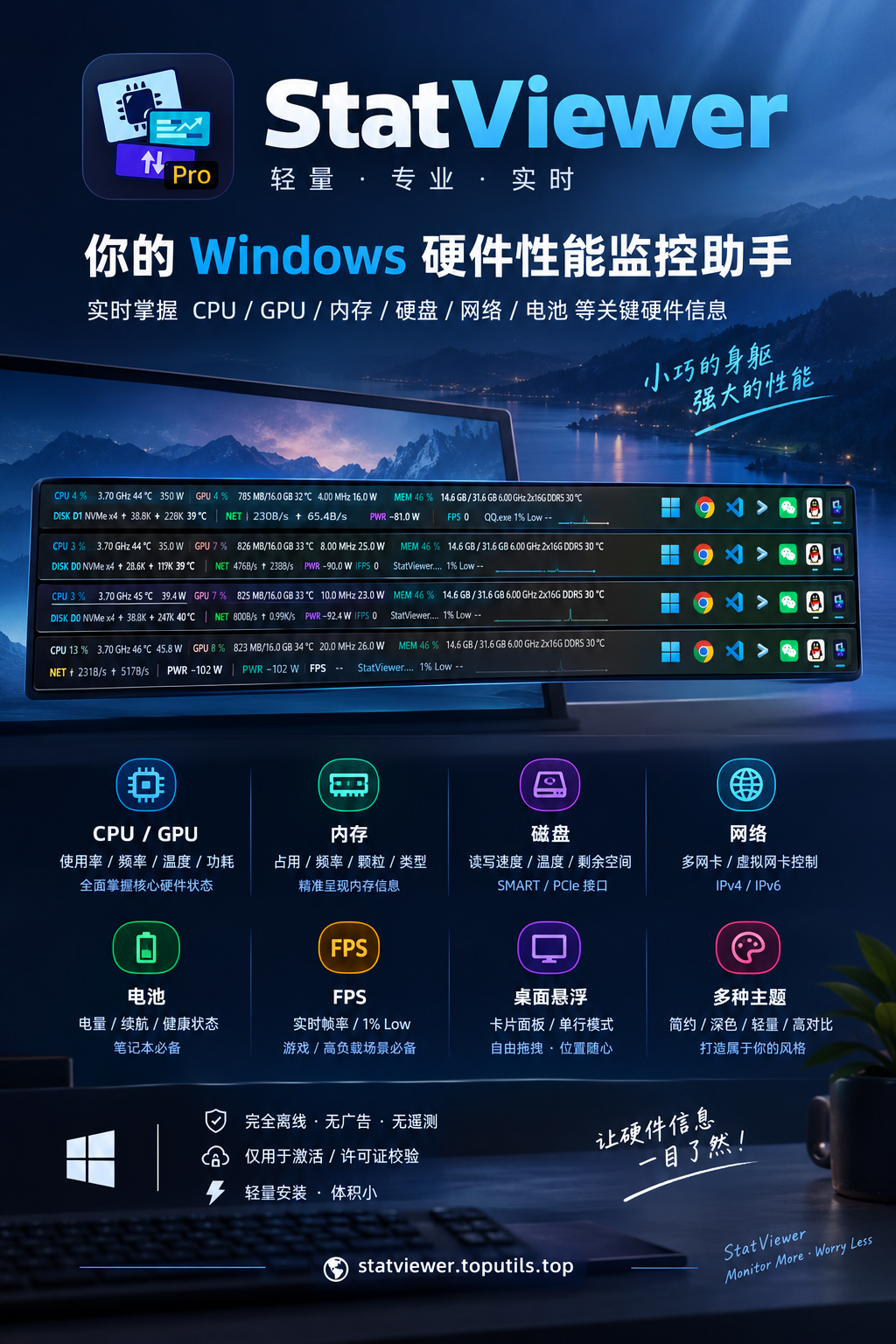
CPU, GPU, memory, disk, network, battery and FPS shown live in a desktop overlay; one unified refresh interval applies to all dynamic data, with a 500 ms minimum.
Disk SMART health
PRODrive health summary and key SMART attributes; full NVMe fields require the Microsoft standard storage driver, with clear reasons when reads are restricted.
FPS & 1% Low
PROReal-time foreground-app FPS, a mini sparkline and 1% Low powered by ETW, matching PresentMon / RTSS methodology.
Hardware information centre
Computer/system, CPU, memory, GPU, display, audio, network and disk sections, with all IPv4 / IPv6 addresses per adapter.
Overlay & layout customisation
Panel Drag gives free movement with 10px edge snapping and per-display memory; reorder monitoring groups and readings by dragging, with light-background adaptation and independent text scaling.
Privacy & lightweight
Monitoring data is processed on-device with no ads, telemetry or accounts. Standard is fully offline; Pro connects only for activation, authorization checks, version checks, announcements and optional account actions.
Screenshots
Real screenshots & posters
Capsule, card and settings screenshots across six StatViewer themes, in Chinese and English
Editions
Standard is free; Pro is first to receive new features
Advanced capabilities such as temperature/power, FPS, iGPU, disk SMART, taskbar mode and in-app updates arrive on Pro first; broader Standard availability will be evaluated in future releases
Standard
Free · Microsoft Store · fully offline
- Core monitoring: CPU / GPU / memory / disk / network / battery
- Hardware information centre (8 sections) with full IPv4 / IPv6 addresses
- Overlay drag / snapping / per-display position memory
Pro
One-time purchase · online activation · one device
- All Standard features, plus new capabilities first
- CPU / GPU / iGPU temperature, power and model + system power estimate
- Disk SMART health and attributes
Official repositories
GitHub / Gitee Releases & feedback
StatViewer Pro is published on the official repositories below, with EXE / MSI / ZIP downloads and Issue feedback
StatViewer is an independently developed Windows desktop application, built and maintained by two developers, Kris and Elyven. Standard and Pro are two editions of the same product.
Primary release repository for faster international access: latest versions, EXE / MSI / ZIP packages and release notes.
China mirror release repository with stable downloads, the full set of packages and Issue feedback.
Download StatViewer today
Lightweight, real-time and focused; monitoring data stays on-device with no ads or telemetry - Standard is free and offline, while Pro is first to receive advanced features.